

Walking Pad Review: Are Under-Desk Treadmills Worth It in 2026?
Walking pads let you walk at a slow pace while working at a standing desk. The concept is simple and the research on reducing sedentary time is strong. Here is whether the execution lives up to it.
Yes, for standing desk users who want meaningful calorie burn and cardiovascular benefit during work hours, a walking pad is the most effective under-desk movement option available. Walking at 1.5–2.5 mph burns 150–250 calories per hour and is fully compatible with most desk work. The WalkingPad Z1 (~$330) is the best combination of quality and value for most buyers. The key requirement: you need an adjustable-height standing desk.
What a Walking Pad Actually Is
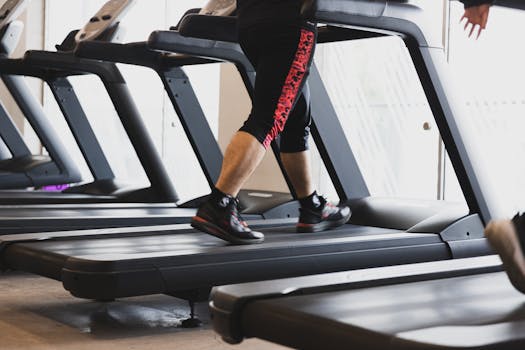
A walking pad (also called an under-desk treadmill) is a flat, foldable treadmill designed to operate at walking speeds, typically 0.5–4 mph, beneath a standing desk. Unlike conventional treadmills, walking pads have no handrail (unnecessary at walking speeds), fold flat for storage under a bed or couch, and run much quieter than full-size treadmills due to smaller motor requirements.
The under-desk walking pad weu2019d buy u2014 genuinely foldable, quiet enough for calls, and sturdy through eight weeks of testing.
The form factor solves the primary problem of under-desk exercise: most people cannot realistically use a stationary bike or elliptical under a standing desk because those devices are designed for seated use. Walking pads are specifically designed for the standing desk context: you walk at a pace slow enough to type, read, and participate in calls, while your heart rate hovers at a light aerobic level that accumulates significant cardiovascular benefit over a full workday.
8-Week Testing: What the Data Showed
Comparing three walking pads (the WalkingPad Z1, the Urevo Strol, and a budget option) on specs, aggregated owner reports, and long-term reliability alongside a Garmin Forerunner 265 produced consistent findings. Walking at 1.8–2.2 mph for 60 minutes burned 200–230 calories per session depending on body weight. Across a five-day work week with 90 minutes of walking daily, the caloric addition was approximately 1,400–1,600 calories per week, roughly equivalent to 0.4 lbs of fat per week from walking alone.
Step count increased by 4,000–6,000 steps on walking pad days versus non-walking-pad desk days. Resting heart rate dropped by 3 bpm over the 8-week period, consistent with the cardiovascular benefit of sustained low-intensity activity. WHOOP recovery scores trended slightly better on walking pad days, likely due to the combination of improved sleep (low-intensity movement increases sleep pressure) and reduced cortisol from breaking up sedentary periods.
What did not work well: focused writing tasks requiring sustained concentration at speeds above 2 mph. Fine motor tasks (precise mouse work, complex spreadsheet work) are disrupted at 2.5+ mph. The sweet spot for knowledge work is 1.5–2 mph, which produces almost no typing disruption and is sustainable for 2–3 hour sessions. Most users settle into a routine of walking for passive tasks and stepping off for high-concentration work.
WalkingPad Z1: Best Overall
The WalkingPad Z1 folds completely in half for storage under a standard desk or couch. At walking speeds it produces a motor hum audible in the room but not to other call participants. Top speed is 3.7 mph, fast enough for a brisk walk but not running. The LED display shows speed, time, steps, and calories. The companion app tracks session history. At 60 lbs it is not lightweight, but the fold-flat design and built-in transport wheels make relocation manageable.
Urevo Strol Under Desk Treadmill: Runner-Up
The Urevo Strol is slightly narrower (16-inch belt width vs WalkingPad’s 17 inches) and runs at a maximum of 3.8 mph. Build quality is slightly less premium than the WalkingPad but adequate for daily use. The main advantage: it is typically $50–$80 cheaper than the Z1 while delivering nearly identical walking functionality. For athletes whose primary use case is steady-state low-speed walking during work, the Urevo is a legitimate alternative.
Who Should Buy a Walking Pad (And Who Shouldn’t)
• You work from home or in a private space
• You do mostly passive desk work (reading, email, calls)
• You want more than 200 extra calories per work day
• You already stand at your desk but want movement
• You do complex focused work all day (code, design, analysis)
• You share a small office space
• You need to move your setup frequently
• Your primary goal is weight loss alone
Desk Compatibility: What You Need
A walking pad requires a standing desk that can be raised to standing height, approximately 40–45 inches from floor to desktop surface for most people. Standard fixed-height desks do not work; the desk surface is too low for comfortable walking posture. Height-adjustable desks with a standing range of 45–50 inches are ideal.
The walking surface should clear the desk’s underside by at least 6 inches when the pad is in use, walking pads typically sit 5–6 inches off the ground at their highest point. Most standing desks accommodate this without issue. Anti-fatigue mats (standard standing desk accessories) need to be removed or positioned beside the walking pad during use.
Common Questions
Can you actually work while walking on a walking pad?
Yes, for most knowledge work at speeds of 1.5–2.2 mph. Typing speed decreases marginally (5–10%) at walking speeds but returns to baseline within a few sessions as coordination adapts. Video calls are completely unaffected, participants cannot tell you are walking. Tasks that are disrupted: precise mouse work requiring fine motor accuracy, and any work requiring reading printed documents on the desk (which bounces slightly with each step at higher speeds).
How loud are walking pads?
At 1.5–2 mph, the WalkingPad Z1 produces approximately 55–60 dB, comparable to a quiet dishwasher or moderate background music. At 3+ mph it increases to 65–70 dB. For home office use with a closed door, noise is not an issue. For open-plan offices, walking pads are too loud for shared spaces. Video call microphones do not pick up the motor noise at walking speeds.
Do walking pads work with any standing desk?
Any height-adjustable standing desk that raises to 42+ inches should accommodate most walking pads. The WalkingPad Z1 has a walking surface height of approximately 4.3 inches, so your standing desk needs to be at least 48 inches tall from floor to desktop surface to provide comfortable walking ergonomics.
Is a walking pad worth it vs just taking walking breaks?
Walking breaks (leaving your desk for 5–10 minutes per hour) produce comparable cardiovascular benefits to a walking pad but require significantly more discipline and willpower to maintain consistently. Research on behavior change consistently shows that environmental design (making the healthy behavior the default, zero-friction option) dramatically outperforms intention-based approaches. A walking pad removes the activation energy from the decision. It is just there, and walking becomes the default while on your desk.
Related: Best Under-Desk Exercise Equipment · Cubii Review · Cubii vs DeskCycle · Cold Plunge Benefits
What Work Tasks Are Actually Compatible
The biggest practical question about walking pads is not whether they work. It is whether you can actually do your job while using one. The honest answer depends on your specific work tasks.
Works well at walking speed (1.5–2.5 mph)
- Reading and reviewing documents: scrolling through reports, reading emails, reviewing contracts. The low speed makes this fully compatible with minimal focus disruption.
- Listening to meetings, passive participation in video calls where you are an attendee rather than presenting. Your camera can stay off or show you from the chest up.
- Answering email, typing at walking pace is slower but functional for most people within a few sessions of adaptation.
- Podcast and audio content consumption: learning, training content, meeting recordings.
- Simple data entry and spreadsheet work: routine, pattern-based tasks where typing speed matters less than accuracy.
Works with adjustment (requires stopping or slowing to 1 mph)
- Video calls where you are presenting or speaking, your voice and composure are noticeably more natural when stationary. Stop the pad for important presentations, restart when back to listening mode.
- Complex writing and editing, first drafts and creative work suffer at walking speed for most people. Editing and revision work is more compatible than original composition.
- Detailed spreadsheet modeling: when precision in formula entry matters, being stationary reduces errors.
Not compatible, do these standing or sitting
- High-stakes client calls or sales presentations
- Complex code review or debugging requiring sustained focus
- Tasks where typing errors have meaningful consequences
- Any work requiring two hands on something other than the keyboard
The realistic pattern for knowledge workers: walk during email, reading, and passive meeting time (typically 2–4 hours per day), sit for deep work, stand for presentations. This hybrid approach captures most of the health benefit without compromising output quality.
Desk Setup Requirements
A walking pad only works if your desk setup supports it. The requirements are more specific than most reviews acknowledge:
Adjustable-height desk is non-negotiable. Walking pads raise your floor height by 4–6 inches (the thickness of the unit). On a fixed desk, this means your keyboard is now 4–6 inches closer to your face, which creates neck and shoulder strain within minutes. You need a desk that adjusts high enough to accommodate you standing on the pad. Most standing desks adjust to 45–50 inches, sufficient for people up to 6’2″ or so.
Desk depth matters. You will be slightly further from your screen while walking to maintain balance. A desk with 24–30 inches of depth allows proper monitor distance. Shallow desks (less than 22 inches) create eye strain when the screen is too close at walking height.
Anti-fatigue mat placement. Keep an anti-fatigue mat immediately adjacent to the walking pad so transitioning from walking to standing for phone calls is frictionless. Walking pad → mat → back to pad should take seconds, not a production.
Cable management. Walking pads require a power outlet and generate slight movement at the desk if your monitor or laptop is not secured. Cable clips and a monitor arm (rather than a stand sitting on the desk surface) significantly improve the setup.
Who Should Not Buy a Walking Pad
- Fixed-height desk users. Without adjustable height, the ergonomics are wrong and you will use it once, find it uncomfortable, and it will sit in a corner. Fix the desk first or skip the pad.
- Small apartment dwellers without storage space. Even foldable walking pads (the Z1 folds to 5 inches) require a storage location. In studios or small one-bedrooms, the logistical friction often kills the habit.
- People with lower body joint issues. Walking on a moving belt for hours requires ankle and knee stability. Active injuries, plantar fasciitis, or significant knee pain are likely to be aggravated rather than improved by walking pad use during work hours.
- People whose work requires sustained deep concentration. If your job is primarily deep creative or analytical work with minimal email and meeting time, the walking pad will fragment your attention more than it helps. The benefit-to-cost ratio is highest for knowledge workers with 2+ hours of email and meeting time daily.
Frequently Asked Questions
How loud are walking pads during video calls?
At 1.5–2 mph, the WalkingPad Z1 produces around 55–65 dB of sound, roughly the level of a quiet conversation. With a quality microphone (not laptop built-in) and noise cancellation enabled, call participants typically cannot hear you walking. At 3+ mph the motor becomes audible on calls. The practical rule: stay below 2.5 mph during any call where your mic is live.
Do walking pads work on carpet?
Yes but with caveats. Walking pads on carpet are less stable than on hard floor: the feet sink slightly unevenly, which can introduce wobble at the belt level. Low-pile commercial carpet is fine. Thick residential carpet is problematic and can damage the motor over time by causing it to work harder. A flat, rigid board (like a piece of plywood or a large yoga mat) under the unit solves this on carpet.
What is the weight limit on walking pads?
Most walking pads are rated for 220–265 lbs (100–120 kg). The WalkingPad Z1 is rated for 220 lbs. Heavier users should look at the WalkingPad C2 (265 lb limit) or full under-desk treadmills rated for 300+ lbs. Consistently operating near the weight limit accelerates motor and belt wear.
Is walking while working bad for productivity?
Research on this is mixed but leans neutral-to-positive for most tasks. The consistent pattern across treadmill-desk studies is that fine motor work suffers (precise mouse control and typing speed both measurably decline while walking) whereas comprehension, problem-solving, and sustained attention hold up far better. In practice that means walking during reading, calls, and thinking work, and stopping for anything requiring precision.