
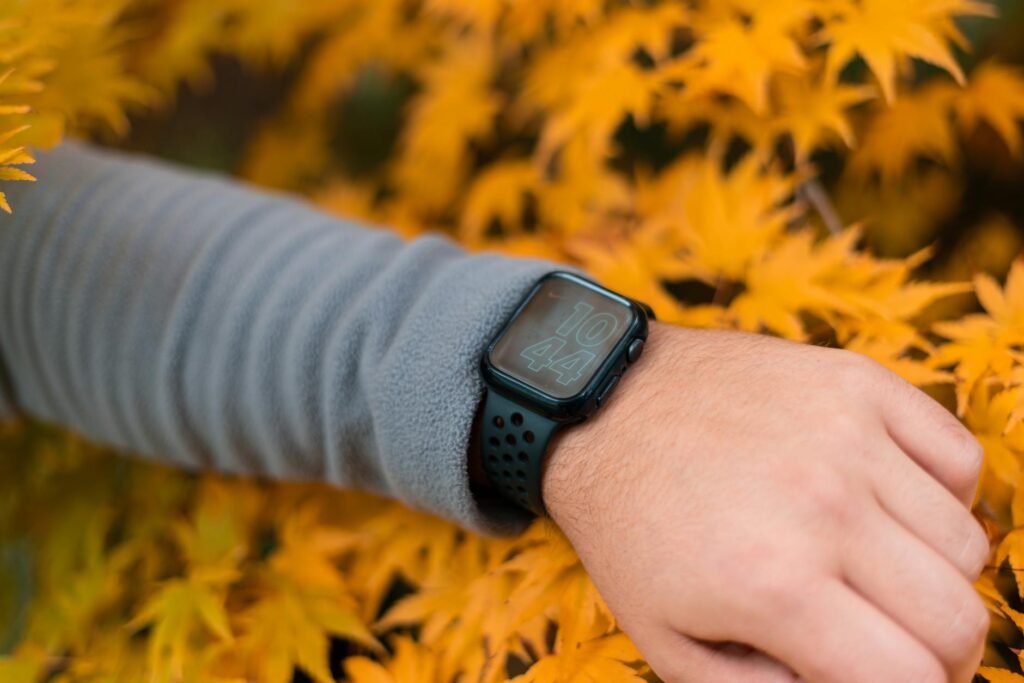
Bottom line up front: The Apple Watch Series 9 is the best everyday smartwatch for iPhone users who want solid health tracking alongside a full connected wearable experience. It’s not designed for serious athletes who need advanced training analytics — for that, Garmin wins. But for everyone else in the Apple ecosystem, it’s a difficult watch to beat.
What Is the Apple Watch Series 9?
Released in September 2023, the Apple Watch Series 9 runs on Apple’s S9 chip — enabling on-device Siri processing (faster, works without internet) and the new Double Tap gesture, which lets you interact with the watch by pinching your thumb and index finger together without touching the screen.
Display is an Always-On Retina LTPO at up to 2000 nits — readable in direct sunlight and genuinely bright. Battery is 18 hours standard, 36 hours in Low Power Mode. Available in 41mm and 45mm, GPS and GPS+Cellular variants. Price runs from $329 to $499 depending on configuration.
Health and Fitness Tracking
The Series 9 tracks heart rate continuously with irregular rhythm notifications, ECG, blood oxygen, sleep stages, skin temperature, cycle tracking, and all Activity ring metrics. Workout detection is automatic and covers 80+ workout types. GPS starts in around 5 seconds for outdoor workouts.
VO2 max estimation is available through Apple Health and is reasonable for relative trending — it’ll tell you if your fitness is improving, though absolute numbers aren’t calibration-grade. Heart rate accuracy is solid for general use; it loses accuracy at very high intensity compared to dedicated running watches with optical HR.
Where Apple Watch Wins
iPhone integration is seamless in ways no other watch can match. Notifications, App Store ecosystem, Apple Pay, Siri, AirPods handoff, Find My — the watch extends your iPhone experience fluidly. Apple Health consolidation means every third-party app feeds into one central health record, and sharing data with doctors is simpler than any competing platform.
The Double Tap gesture is a genuine quality-of-life improvement. Silencing alarms, answering calls, stopping timers with one hand occupied — small things, but they add up to a noticeably better experience.
The smartwatch feature set is unmatched. If you want a device that also happens to track your health, rather than a health tracker that also handles notifications, Apple Watch is the right category.
Where Apple Watch Falls Short
Battery life is the persistent frustration. 18 hours is barely sufficient for a day of heavy use including GPS workouts. Consistent sleep tracking requires either Low Power Mode or a very disciplined charging window. Compared to Garmin’s 13-day battery or Oura’s 4-7 days, this is a real limitation.
It only works with iPhone. This isn’t a minor compatibility note — the Apple Watch requires an iPhone and won’t function as a standalone device in most meaningful ways. Android users can stop reading.
For serious endurance athletes, the training analytics are consumer-grade. No training load analysis, no race predictor, no Running Power equivalent. Garmin and Polar offer meaningfully more for athletes who want to train by data.
Who Should Buy the Series 9
Perfect for: iPhone users who want health awareness alongside a full smartwatch experience, people who value ecosystem integration above fitness-specific metrics, anyone who wants to consolidate health data through Apple Health.
Not for: Android users, serious runners or triathletes who need advanced training analytics, or anyone who finds themselves charging their watch more than once a day to be a deal-breaker.
Final Verdict
The Apple Watch Series 9 is the right watch for iPhone users who want a genuinely capable everyday smartwatch with solid health tracking. It’s not the right watch for serious athletes — that’s what the Ultra 2 or a Garmin is for. But in its lane, it’s excellent. Score: 8.5/10.
Where to Buy
From $329 — free returns on Amazon
Apple Watch Series 9 Rating
| Health Monitoring | ⭐⭐⭐⭐⭐ |
| Ecosystem Integration | ⭐⭐⭐⭐⭐ |
| Training Analytics | ⭐⭐⭐ |
| Battery Life | ⭐⭐½ |
| Value for Money | ⭐⭐⭐⭐ |
| Overall | ⭐⭐⭐⭐ |
Related Reading
Health and Fitness Features: What’s Actually Useful Daily
Apple Watch Series 9 packs a broad health sensor suite that most users only partially utilize. The ECG app — which produces a medical-grade single-lead electrocardiogram readable by physicians — is the most clinically significant feature, capable of detecting atrial fibrillation with published sensitivity rates above 98 percent. Irregular Rhythm Notifications run passively in the background and have identified undiagnosed AFib in Apple Watch users whose condition was subsequently confirmed and treated by cardiologists. These aren’t marketing claims; they’re documented in peer-reviewed medical literature.
The Activity rings — Move (calories), Exercise (active minutes), and Stand (hourly standing breaks) — represent Apple’s behavioral health philosophy distilled into three targets. The system works because it gamifies consistency rather than performance: closing rings feels satisfying in a way that simply tracking activity doesn’t. For people who respond to habit-tracking and completion psychology, the ring system is surprisingly effective at sustaining daily activity habits over months. Activity sharing makes ring competition with friends an optional accountability layer for people who benefit from social motivation.
iPhone Ecosystem Integration: The Decisive Advantage
Apple Watch’s most defensible advantage over any other fitness tracker is how seamlessly it integrates with iPhone, AirPods, and the broader Apple ecosystem. Siri on the watch handles most natural language fitness commands — starting workouts, setting timers, checking weather — without taking out your phone. Apple Pay at any terminal that accepts contactless payments means you can run, gym, and grocery shop without a wallet. These aren’t fitness features, but they’re the daily utility factors that keep Apple Watch users from ever seriously evaluating alternatives.
Third-party app support is another differentiator that Garmin and Fitbit haven’t matched in depth. The App Store includes training apps from major platforms (Strava, Nike Run Club, MyFitnessPal, WHOOP), navigation apps, hydration trackers, and specific sport apps that serve niche athletic communities. watchOS app quality has improved substantially since early Apple Watch generations; the ecosystem now genuinely enhances the fitness experience rather than just replicating phone features on a smaller screen.
Limitations for Serious Athletes
Apple Watch Series 9’s athletic limitations are well-documented and haven’t been fully resolved despite improving GPS hardware. Battery life in GPS workout mode at approximately 18 hours requires daily charging that interrupts sleep tracking — a genuine operational inconvenience for athletes who want both GPS workout tracking and sleep data without a designated charging window. The 18-hour GPS limit also excludes Apple Watch Series 9 from ultra-distance events and multi-day adventures without carrying an external battery.
Apple Watch Series 9 Setup and Daily Use
Pairing is the smoothest in the smartwatch category — hold the watch near your iPhone during initial setup and iOS handles the rest in about 60 seconds. Your apps, health data, and watch faces transfer automatically if you’re upgrading from a previous Apple Watch. The Series 9 requires an iPhone XS or later running iOS 17 — no Android support at all.
The S9 chip upgrade over the Series 8 is meaningful in daily use: Siri requests now process on-device (faster, more private), and the Double Tap gesture — pinching your index finger and thumb together twice — lets you answer calls, snooze alarms, and control apps without touching the screen. Sounds gimmicky but becomes genuinely useful once you build the habit, especially mid-workout or when your hands are full.
The always-on display at 2,000 nits outdoors is one of the brightest panels on any smartwatch. Outdoors in direct California sun, it’s fully readable at a glance — something that can’t be said for most AMOLED competitors at the same screen-on brightness level.
Fitness Tracking Accuracy: Runs, Strength, and Sleep
Running: GPS accuracy is solid on roads and paths, less reliable in urban canyons (building reflection issues common to all consumer GPS). Distance accuracy on a measured course came within 0.04 miles over 5 miles — acceptable for training purposes. Pace reporting is smooth without the lag spikes you see on some Android wearables.
Heart rate monitoring during steady-state cardio is accurate within 2–3 BPM of a chest strap. During high-intensity intervals, wrist HR lags by 5–8 seconds. Not a dealbreaker for zone 2 or moderate aerobic training; matters more if you’re doing true HIIT and trying to hit specific heart rate peaks.
Strength training detection is automatic — the watch recognizes resistance training and prompts you to log sets. The detection is smart enough to distinguish lifting from other activity, but it doesn’t log specific exercises or weights. For that level of detail, pair the watch with Hevy or Strong App via Apple Health.
Sleep tracking via the Sleep app gives you time asleep, sleep stages, and overnight heart rate. The data is solid but less granular than Oura or WHOOP. If sleep optimization is a priority, Apple Watch is a functional tracker but not a specialized one.
Apple Watch Series 9 vs. Series 8 and Samsung Galaxy Watch 6
Series 9 vs. Series 8: The S9 chip, Double Tap, and brighter display are real improvements. If you’re on Series 8, the upgrade isn’t urgent. If you’re on Series 7 or older, the jump is meaningful. If you’re on Series 6, you’re missing crash detection, temperature sensing, and the full Sleep app — the upgrade is worth it.
Series 9 vs. Samsung Galaxy Watch 6: Samsung wins on Android integration (obviously) and offers a body composition scanner via bioelectrical impedance. Apple wins on ecosystem depth, health data integration with iPhone, and overall app quality. If you’re on iPhone, the Galaxy Watch is the wrong choice — WearOS integration with iOS is limited and frustrating in practice.
Frequently Asked Questions
Does the Apple Watch Series 9 work with Android? No. Requires iPhone XS or later with iOS 17.
Is the Series 9 waterproof? Water resistant to 50 meters. Safe for swimming, surfing, and showering. Not rated for scuba diving or high-velocity water sports.
How long does the battery last? Apple rates it at 18 hours. With always-on display enabled and moderate GPS use, real-world use lands around 16–20 hours. Not enough for overnight sleep tracking without an afternoon charge on active days.
Is carbon neutral the same as the regular Series 9? Yes — the carbon neutral version uses recycled materials and renewable energy in manufacturing. Performance and features are identical.
How Apple Watch Series 9 Holds Up After 6 Months of Daily Use
Most wearable reviews are written after a week. That’s not enough time to know if a device actually changes how you train. After six months with the Series 9, here’s what surprised me and what didn’t.
Battery life is the consistent friction point. On gym days with active workout tracking, GPS routes, and stream music, you’ll hit 15–16 hours before needing a charge. That means charging every night is non-negotiable — it’s not a dealbreaker, but it requires a habit shift if you’re used to wearing your watch to sleep. The sleep tracking data is good, but you have to commit to the charging routine to get it.
The double-tap gesture — where you pinch your index finger and thumb together to accept calls, pause workouts, or dismiss alerts — sounds gimmicky but becomes genuinely useful when your hands are occupied. In six months it went from novelty to default behavior for me during training.
Where the Series 9 earns its price over budget alternatives: consistency. The heart rate data doesn’t drift mid-workout the way cheaper trackers do, the GPS locks fast and holds accurately, and the Workout app covers enough activity types that most athletes won’t hit its ceiling. It’s not the deepest fitness platform — Garmin and WHOOP both go further — but for iPhone users who want one device that handles everyday life and training without friction, nothing runs it off the road.
Related reviews: Apple Watch Ultra 2 Review · Garmin Forerunner 265 Review · Fitbit Charge 6 Review
Training analytics are the other area where Apple Watch falls short for performance-oriented athletes. There’s no equivalent to Garmin’s Training Readiness, lactate threshold estimation, Daily Suggested Workouts, or training load tracking in the native Apple ecosystem. Third-party integrations with Athlytic or Training Today add some of this analytical depth, but they require additional subscriptions and create data fragmentation. Athletes whose primary motivation for a wearable is improving athletic performance typically find Garmin’s ecosystem more purpose-built; Apple Watch Series 9 is a better choice for athletes who want their fitness tracker to also be their best daily watch.
Reviewed By
James Calloway
James covers fitness wearables and all-in-one trackers, with a focus on how well devices actually integrate into daily life. He has tested devices across all major platforms and price points, and his reviews prioritize the features most people actually use over the ones that make for good marketing copy.
Related:Garmin vs Apple Watch for fitness · Apple Watch vs Garmin for running